You want to differentiate the Easter menu from the one proposed for all other Sundays in your restaurant.
The Easter menu appears in a different URL than other Sundays, so you need to create and print another QR code to replace the usual one on Easter Sunday.
Solution
You need to create a QR-Code with the same key as the one you used for the Menu of the day.
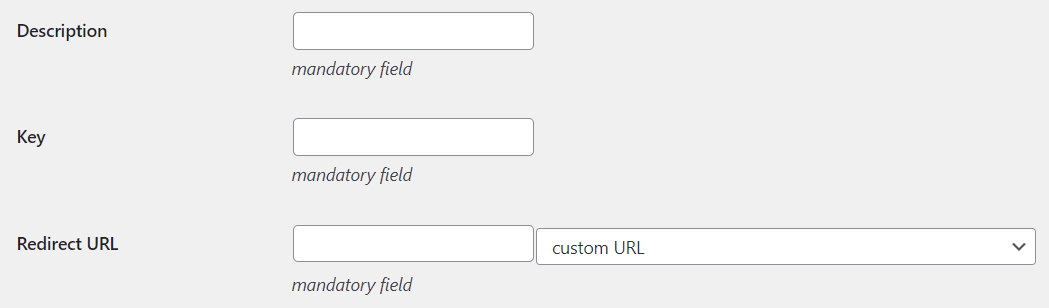
Description: enter an explanatory/mnemonic name for the QR-Code
Key: digit the same key used to create the menu of the day
Redirect URL: select or write the URL of the web page with the Easter menu
Define the activation time interval and enable the priority:
Active from date: Easter date
Active to date: Easter date
Priority: activate the check box
Priority
The priority ensures that on the set date (Easter) this QR-Code's URL will be chosen instead of the one set for every Sunday, all conditions being equal (i.e. same key and current day of the week).